

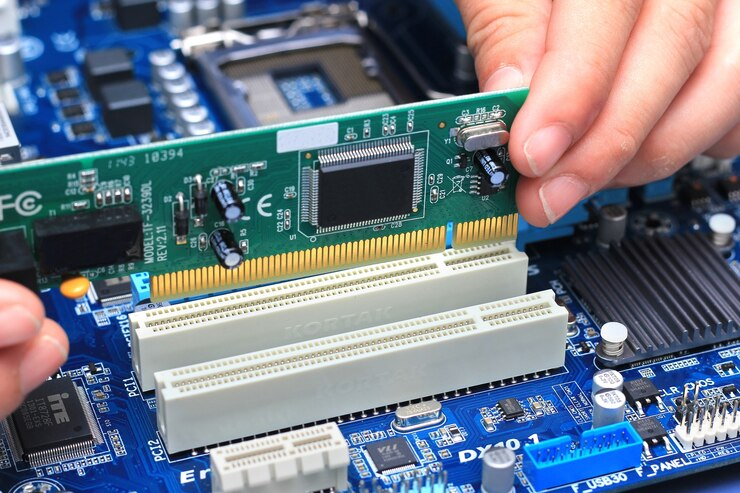
Choosing the right memory can improve a computer’s responsiveness, support multitasking, and make everyday tasks easier to manage. Before you Buy RAM Online, it helps to understand your system’s requirements, the type of memory it supports, and the capacity needed for your workload. From basic home computing to gaming and professional applications, the right RAM can make a noticeable difference. RAM Exchange offers a starting point for exploring memory options and finding products that suit different system configurations. A little research before purchasing can help you avoid compatibility problems and choose memory that meets your needs.
Check Your Computer’s RAM Compatibility First
Not every memory module works with every computer. Desktop PCs, laptops, and workstations can use different RAM formats, and even compatible-looking modules may not work with a particular motherboard. Before making a purchase, check your computer or motherboard specifications. The manufacturer’s documentation usually lists the supported memory types, maximum capacity, and memory speed.
Pay attention to these details:
- RAM generation: DDR3, DDR4, and DDR5 are different standards. They are not interchangeable because their physical designs and electrical requirements differ.
- Form factor: Desktop computers generally use DIMM modules, while most laptops use smaller SO-DIMM modules.
- Maximum capacity: Check how much memory your system supports in total and how much each slot can accommodate.
- Supported speeds: RAM may be available at different speeds, but the motherboard and processor determine which speeds are supported.
- Available slots: Find out how many memory slots your system has and whether any are already occupied.
Checking these details first makes it easier to narrow down suitable products and avoid ordering memory that cannot be installed.
Choose a RAM Capacity That Matches Your Needs
The amount of memory you need depends on the applications you use and how you work. Too little RAM can cause a computer to rely more heavily on storage, which may lead to delays when switching between programs or handling large files. For many everyday users, 16GB is a practical starting point. People who regularly work with demanding applications may benefit from 32GB or more, depending on their software and system requirements.
Consider these common usage levels
- 8GB RAM: May suit basic browsing, email, document editing, and other light tasks, although demanding websites and multiple open applications can use this capacity quickly.
- 16GB RAM: A suitable choice for general productivity, online learning, everyday multitasking, and many gaming setups.
- 32GB RAM: Useful for modern games, photo editing, programming, and running several resource-intensive applications.
- 64GB or more: May benefit video editors, 3D designers, virtual machine users, and professionals working with large datasets.
These are general guidelines rather than fixed requirements. Review the recommended specifications for the software you use before deciding how much memory to purchase.
Understand RAM Speed and Configuration
RAM capacity is only one part of the decision. Memory speed, system compatibility, and the number of installed modules can also affect performance. RAM speed is commonly expressed in megatransfers per second (MT/s). Higher rated speeds can improve memory bandwidth, but they do not automatically make every computer faster. The actual benefit depends on the processor, motherboard, application, and supported memory settings.
The number of modules also matters. Some systems support dual-channel memory, which can increase available memory bandwidth when modules are installed in the correct configuration. For example, two compatible 8GB modules may offer a different memory configuration from one 16GB module. However, the best arrangement depends on the system’s design and future upgrade plans.
Before selecting a configuration, consider:
- Whether your motherboard supports single-channel, dual-channel, or other memory configurations.
- Whether matched modules are recommended for your computer.
- Whether the selected speed is supported by your processor and motherboard.
- Whether you want to leave a slot free for a future upgrade.
Comparing these specifications helps you select memory that works well with the rest of your hardware.
Compare Computer Memory Products Carefully
Shopping for computer memory products involves more than comparing prices. Two modules with the same capacity may have different speeds, timings, compatibility requirements, and intended uses. Read the complete product specifications before making a decision. Look for the exact model number, memory generation, capacity per module, rated speed, and voltage. These details help you distinguish between similar products and reduce the risk of ordering the wrong component.
It is also worth checking the seller’s warranty terms, return policy, and product condition. New, used, and refurbished memory may have different coverage, so make sure the listing clearly identifies what you are purchasing. RAM Exchange is one option to consider when comparing available memory choices. Reviewing product details carefully can help you identify modules that fit your hardware and budget rather than paying for specifications your computer cannot use.
Plan Your Purchase Around Future Needs
Buying enough RAM for your current workload is important, but considering future use can help you avoid replacing memory too soon. Think about the applications you expect to use over the next few years. A computer used mainly for documents and web browsing may not need the same capacity as a workstation used for design software, development tools, or large media files.
A few practical considerations can guide your decision:
- Check upgrade options: If your computer has free memory slots, adding RAM later may be possible.
- Review the total upgrade cost: Replacing existing modules may cost more than adding compatible memory, depending on the configuration.
- Avoid paying for unnecessary capacity: More RAM is not always useful if your applications rarely need it.
- Consider system limitations: An older processor or slow storage drive may still limit performance, even after a memory upgrade.
A balanced purchase focuses on the memory your system can support and the tasks you need it to handle.
Make the Online Buying Process Easier
Once you understand your computer’s specifications, narrowing down your options becomes much simpler. A reliable buying process starts with accurate system information and ends with a careful review of the product listing.
Before placing an order, use this checklist:
- Confirm the RAM generation and module form factor.
- Check the maximum supported capacity and available slots.
- Select an appropriate capacity for your everyday workload.
- Compare speed ratings and supported configurations.
- Verify the exact product model and compatibility information.
- Review warranty coverage, return conditions, and seller details.
When you Buy RAM Online, these steps can help you avoid common mistakes and make a more informed choice. RAM Exchange can be included in your research as you compare memory options and identify products suited to your computer.
Choose Memory With Confidence
The right RAM purchase starts with compatibility, followed by capacity, speed, and value. Taking time to check these details can help you find memory that supports your existing system without unnecessary spending. A well-planned upgrade can improve multitasking and make demanding applications easier to run, provided the rest of the computer meets their requirements. Contact us today to explore suitable memory options, review your system requirements, and find RAM that matches your needs and budget.
