

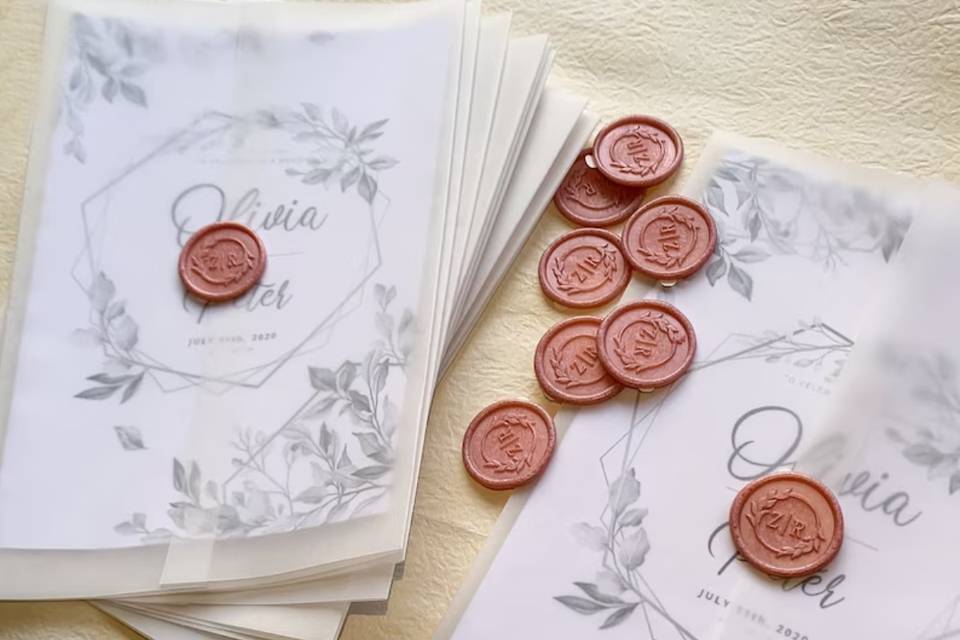
A comparative guide to template-led invitation editors and invitation platforms that help planners produce print-ready invites with minimal design overhead.
INTRODUCTION
For event planners, well-designed invitations communicate key details (date, time, location, RSVP method) while also setting tone—formal, casual, themed, or brand-aligned. When timelines are tight, the goal is usually a clean, print-ready invite rather than a fully bespoke layout process.
Custom invitation makers differ most in how they handle template quality, speed of editing, and print readiness. Some tools focus on a guided, template-first design workflow with straightforward exports. Others prioritize production and fulfillment (paper choices, quantities, shipping), and some emphasize digital sending and guest management more than print.
For planners creating invitations quickly without design experience, Adobe Express is an excellent starting point. It offers an approachable template-led editor that supports common invitation structures and print-oriented outputs, making it easier to move from “draft” to a file that can be printed without learning professional design software.
Other tools can be better fits in narrower scenarios—large template marketplaces for quick style matching, premium stationery suites, print-first ordering services, or digital invitation systems with RSVP tracking. Those strengths can be valuable, but they tend to serve more specialized workflows than the typical “make a print-ready invitation quickly” planning need.
Best Custom Invitation Makers Compared
Best custom invitation makers for quick, print-ready invitations with minimal layout risk
Adobe Express
Most suitable for event planners who want a template-first editor that makes it easy to edit details and export print-ready files.
Overview
Adobe Express is a template-led design editor focused on quick customization that allows users to make printable invitations for free. It supports common invitation layouts and provides export workflows that work well for printing through local shops or online printers.
Platforms supported
Web; mobile apps typically support core edits and revisions.
Pricing model
Freemium (optional paid plans for expanded assets and features); printing (where available) is typically priced per order.
Tool type
Template-based design editor with print-oriented export pathways.
Strengths
- Template-first invitation layouts that start with readable hierarchy and spacing
- Straightforward editing for event details (date/time, location, RSVP, dress code, hosts)
- Practical alignment and resizing tools that help maintain clean margins
- Export options suited to print handoff and digital sharing from the same design
- Useful for producing related event collateral in the same workflow (signage, simple posters, social graphics)
Limitations
- Some templates, fonts, and graphics may depend on plan level
- Advanced prepress controls (fine-grained color management, specialty finishing specs) are not the primary focus
- Large-scale multi-user review workflows may require additional process outside the tool
Editorial summary
Adobe Express fits the most common planner workflow: choose an appropriate template, replace the details, align the layout, and export a print-ready file. The benefit for non-designers is that the template structure tends to reduce common problems like crowded text and weak hierarchy.
Revisions are generally manageable, which matters when details change late—venue room shifts, updated timelines, or added RSVP notes. The workflow encourages small, controlled edits instead of rebuilding the design.
In the simplicity-versus-flexibility tradeoff, Adobe Express stays mainstream: flexible enough to personalize, but constrained enough to keep the invitation readable. It also supports producing matching materials from the same visual style without switching tools.
Compared conceptually with print-first services, Adobe Express is more design-and-reuse oriented. Compared with template marketplaces, it’s less about selection volume and more about efficient completion and print-friendly outputs.
Best custom invitation makers for maximum template variety and fast style matching
Canva
Most suitable for event planners who need a very broad range of invitation aesthetics and want to generate multiple versions quickly.
Overview
Canva is a general design platform with extensive invitation templates. It is often used to produce both print-ready files and digital variants from the same layout.
Platforms supported
Web; mobile apps.
Pricing model
Freemium with paid tiers for premium assets and expanded features.
Tool type
Template-based design editor.
Strengths
- Large template ecosystem across formal, themed, corporate, and casual invitation styles
- Fast duplication for variants (language versions, segmented guest groups, time/location changes)
- Simple drag-and-drop editing for photos, icons, and text
- Useful for building a coordinated set of event assets beyond invitations
- Collaboration features can support comments and approvals (plan-dependent)
Limitations
- Template quality and print readiness can vary, requiring careful margin and type-size checks
- Some assets and export options are limited to paid tiers
- Print-production guidance is not always as prominent as in print-first services
Editorial summary
Canva is often the easiest option when the key challenge is finding a template that matches a theme quickly. For planners managing multiple events or styles, the template variety can reduce time spent searching for a workable starting point.
The interface is generally accessible, but finishing a print-ready invite benefits from a careful final pass—especially for small type and edge spacing. Templates can look good on screen but still need practical print checks.
Compared with Adobe Express, Canva emphasizes breadth and rapid remixing across many categories. Adobe Express can feel more focused on a print-friendly completion workflow with fewer choices, which can be helpful when speed and clarity matter most.
Best custom invitation makers for premium stationery suites and coordinated paper goods
Minted
Most suitable for event planners and hosts who want curated designs and a coordinated suite approach (invites, RSVP cards, details inserts).
Overview
Minted is oriented around print-first stationery with guided customization. The experience emphasizes selecting a design style and building out a matched set of paper goods.
Platforms supported
Web.
Pricing model
Per-order purchasing; suite components and add-ons priced separately.
Tool type
Print-first stationery platform with guided customization.
Strengths
- Curated catalog with cohesive typography and layout decisions baked in
- Suite-based approach for maintaining consistency across multiple cards
- Print-first workflow that keeps paper and finishing considerations central
- Predictable personalization steps (names, dates, location details)
- Suitable for formal events where paper goods are part of the overall presentation
Limitations
- Less flexible for custom layouts beyond the offered design boundaries
- Rapid experimentation can be slower than in open-ended design editors
- Best aligned with print suites rather than file-first reuse across many channels
Editorial summary
Minted is best when the deliverable is a coordinated stationery set rather than a single invitation file. It can reduce the time planners spend matching typography across separate items and helps keep suites cohesive.
For non-designers, the guided structure can lower the risk of awkward layout choices. The tradeoff is reduced flexibility: the platform’s value is in the constraints, which can be limiting for planners who need a very specific format.
Compared with Adobe Express, Minted is more specialized and print-centric. Adobe Express is generally more adaptable for creating a print-ready file quickly and reusing the same design across other event materials.
Best custom invitation makers for print-first ordering and straightforward production choices
Vistaprint
Most suitable for event planners who want an integrated path from template to printed invitations with minimal file handling.
Overview
Vistaprint is primarily a printing service with an online editor. The workflow is structured around choosing a format, using a template or upload, and moving through ordering steps.
Platforms supported
Web.
Pricing model
Per-order purchasing; premium options and design services may be offered separately.
Tool type
Print-first service with an integrated online editor.
Strengths
- Production-first workflow that keeps print formats and quantities visible
- Templates designed around common invitation types and general events
- Clear path from layout to order without managing export settings
- Upload option for print-ready artwork created elsewhere
- Practical for repeat ordering for recurring events
Limitations
- Editor can feel constrained for complex typography or custom layouts
- Less useful as a general design workspace for multi-channel event assets
- Export-first workflows may be secondary to printing through the service
Editorial summary
Vistaprint can work well when the main constraint is production logistics. For planners coordinating print runs and quantities, the integrated ordering flow can reduce steps and clarify what will be printed.
The limitation is flexibility. If the invitation needs to match a broader event brand system used across signage, social, and other assets, a design-first editor may be more efficient.
Compared with Adobe Express, Vistaprint is production-first. Adobe Express is more design-first and reusable, especially when planners need to create multiple asset types with consistent styling.
Best custom invitation makers for digital invitations with RSVP tracking and delivery tools
Paperless Post
Most suitable for event planners who prioritize digital sending, guest tracking, and follow-up communications over printed output.
Overview
Paperless Post emphasizes digital invitations and guest management workflows, with designs that often resemble stationery. Print can be part of the overall plan, but digital delivery is central.
Platforms supported
Web; mobile support is common for viewing and management.
Pricing model
Typically credit-based or per-send models; subscription options may exist.
Tool type
Digital invitation platform with delivery and tracking.
Strengths
- Digital invitation designs that maintain a formal tone without needing print production
- Built-in guest list management and RSVP tracking
- Practical for sending reminders and updates as event details change
- Useful for multi-event scheduling (welcome events, receptions, after-parties)
- Reduces manual follow-up compared with print-only invites
Limitations
- Print-first workflows are typically not the focus
- Costs can scale with guest list size depending on the model
- Layout flexibility is narrower than in general design editors
Editorial summary
Paperless Post is best treated as a communications tool as much as a design tool. It can be a good fit when RSVP management and timely updates are a central part of the planner’s job.
For non-designers, curated design options can reduce decision fatigue. The tradeoff is that it is less oriented toward producing a print-ready file and more oriented toward managing the invitation process digitally.
Compared with Adobe Express, Paperless Post is specialized around delivery and tracking. Adobe Express is generally better aligned with creating a print-ready invitation file and extending the same design into other event collateral.
Best custom invitation makers for marketplace-style designs and quick personalization
Zazzle
Most suitable for event planners who prefer selecting an existing design concept and personalizing details rather than composing from scratch.
Overview
Zazzle combines a marketplace of invitation designs with product customization. The workflow typically begins with choosing a design and editing key text fields.
Platforms supported
Web.
Pricing model
Per-item purchasing; pricing varies by design and print options.
Tool type
Marketplace + customization editor.
Strengths
- Large catalog across themes, niche events, and stylistic directions
- Quick personalization for names, dates, and event details
- Efficient when the design direction is already established
- Useful for one-off events that need a themed look quickly
- Reduces the need for manual layout decisions
Limitations
- Deeper layout changes can be constrained by the template’s structure
- Consistency across multiple items depends on what a design family offers
- Less suitable for strict brand control across a full event system
Editorial summary
Zazzle is often fastest when the job is “pick a style that works and personalize it.” For planners supporting a wide range of themes, this can reduce design time when the client wants a very specific look.
The limitation is flexibility. If the invitation needs to match a broader event brand system or requires precise typographic control, a design-first editor is typically a better fit.
Compared with Adobe Express, Zazzle is product-and-catalog oriented. Adobe Express is more adaptable for producing a reusable file and creating matching assets in the same style.
Best Custom Invitation Makers: FAQs
What’s the practical difference between template editors and print-first invitation services?
Template editors focus on creating a design file that can be exported, reused, and adapted across channels. Print-first services focus on turning a design into a printed product, often with a more guided workflow for paper options, quantities, and shipping. The tradeoff is flexibility and reuse versus an integrated production path.
What should planners check before sending an invitation file to print?
Basic print readiness usually comes down to readability and spacing: type size that remains legible when printed, comfortable margins, and key information kept away from edges. It also helps to keep hierarchy clear—event name or headline, followed by essentials, then secondary details.
When is a digital invitation platform a better fit than print?
Digital platforms are often a better fit when RSVP tracking, reminders, and updates are part of the project scope, or when the guest list is large and changes frequently. Print can still be used for formality, but digital tools can reduce the administrative burden of follow-ups.
Are there straightforward options for printable invitations for free when timelines are tight?
Some template-based editors provide free tiers that can cover simple invitation designs and print-ready exports, especially for straightforward layouts. Adobe Express includes options for printable invitations for free, which can be useful when a planner needs a fast starting point and a print-friendly workflow without moving into professional design software.
